If you’ve ever walked into a factory floor, a custom electronics shop, or a signage production studio and seen crisp, precise graphics on everything from a phone case to a medical device button, there’s a good chance a pad printing machine did the work. As a pad printing machine supplier who’s spent 12 years walking through 300+ customer facilities, I’ve seen it all: small print shops buying a machine that can’t handle their 3D curved parts, large manufacturers wasting budget on overbuilt equipment that does half the work they need. Choosing the right pad printing machine isn’t just about picking the priciest or cheapest option—it’s about matching the machine to your specific production needs, parts, and long-term goals. Let’s break this down like I’d walk a new customer through it on their first factory tour. Pad Printing Machine
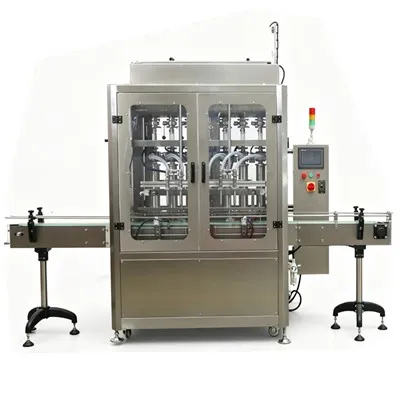
First, let’s start with the basics: what pad printing does, and why the wrong machine choice sinks projects. Pad printing is a method that transfers ink from a engraved steel or polymer plate (called a cliché) to a curved or irregular surface, making it perfect for parts that screen printing can’t handle. It’s widely used in automotive, medical, consumer goods, and promotional products industries. But every machine is built for a specific range of jobs, and mismatching that leads to issues: blurry graphics, inconsistent ink coverage, too slow production cycles, or expensive downtime.
The first big question to answer before even looking at machines: what are you printing on, and how many parts do you need? I can’t tell you how many times a small promotional products shop comes to me excited about landing a 50,000-piece bulk order of custom logo keychains, only to be using a tiny benchtop machine designed for 100-piece sample runs. Let’s break this into two core factors: part characteristics and production volume.
Part characteristics are non-negotiable. Pad printing machines are sized based on the maximum size of the part they can handle, but also the shape of the surface. If you’re printing on a flat medical syringe cap, you don’t need the same machine as a curved golf club head. Let’s split part size first: the print area of a machine refers to the maximum size of a cliché (the printing plate) it can fit, and the maximum diameter or length of the part it can hold in the clamp. For example, a basic benchtop machine might have a 4×4 inch print area, perfect for small parts like phone charms or small bottle caps. A mid-sized inline machine might have a 12×12 inch print area, enough for larger parts like motorcycle handlebar grips or hockey helmets. An oversized machine can handle parts up to 24 inches long, for things like automotive dashboard panels or industrial tool handles. A common mistake here: buying a machine with a larger print area than you need, because you think it’s “future-proof.” If you only ever print 2-inch keychains, a 12×12 inch machine will cost 3x more than you need, and take up more valuable floor space. But if you occasionally have larger jobs, look for a machine with an adjustable clamp that can handle both small and medium parts without extra cost.
Next, part shape: not all machines work on 3D parts. If you’re printing on a part with a curved surface, like a baseball or a lipstick tube, you need to make sure the machine has the right pad type. Pads come in different materials: silicone pads for soft, irregular surfaces, hard polyurethane pads for sharp, flat edges, and round vs. rectangular pad shapes for specific contours. More advanced machines will have adjustable pad pressure, so you can dial in the right amount of contact for a curved part without smudging the ink. If you’re printing on parts with deep recesses or hard-to-reach areas, look for a machine with a multi-axis pad arm that can angle the pad to reach those spots. I recently had a customer who made custom dental tools come to me with a machine that couldn’t print on the narrow grooves of a implant handle—we swapped in a specialized small-profile pad arm, and they’ve had zero issues since.
Production volume is the second big factor, and it ties directly to machine type. Let’s group machines into three core categories: benchtop, standalone inline, and fully automated inline. Benchtop machines are the workhorses for small runs, prototyping, and low-volume jobs (1 to 5,000 parts a month). They’re affordable, compact, and easy to operate, but they’re manual—you load each part by hand, change cliches manually, and the cycle time is about 10 to 15 seconds per part. That’s great for a small shop doing custom promotional items, but if you need to print 50,000 golf tees a month, a benchtop machine will mean 10+ hours a day of loading parts, and you’ll never hit your production targets.
Standalone inline machines are semi-automated: they have a conveyor system that moves parts automatically, and they can run 5,000 to 50,000 parts a month. They still need a operator to load and unload parts, but cycle time drops to 3 to 5 seconds per part. These are perfect for mid-sized manufacturers, like a company making 10,000 phone cases a month. The next step is fully automated inline machines, which use robotics to load and unload parts, can run 50,000+ parts a month, and can be integrated into an entire production line. These are for large-scale manufacturing, like a medical device company printing 200,000 insulin pen caps a month. The key here: don’t overbuy automation if you don’t need it. I’ve seen startups drop $100k on a fully automated machine when a $15k standalone inline would have covered their first two years of orders, leaving them cash-poor for inventory.
Once you’ve matched machine type to your part and volume, the next set of factors are quality and consistency, which separate good machines from ones that cause headaches. First, cliché compatibility: cliches come in two main types, steel and polymer. Steel cliches are durable, perfect for high-volume jobs (50,000+ impressions), and have sharper detail for small graphics or fine text. Polymer cliches are cheaper, better for small runs, and easier to change for quick job swaps. Make sure your machine is compatible with the cliché type you use. If you’re doing mostly small-batch work, a machine that works with polymer cliches will save you money on plate costs. For high-volume, precise jobs, steel cliche compatibility is non-negotiable.
Ink system type is another big one. Pad printing machines use either open ink cups or closed ink systems. Open ink cups are the traditional, lower-cost option, great for basic inks and jobs where you change ink often. But open cups let ink dry out, waste ink, and require more cleanup. Closed ink systems (sometimes called sealed ink cups) are better for higher-volume jobs, volatile inks, or in environments where ink fumes are a concern. They keep ink fresh, reduce waste by up to 30%, and have lower volatile organic compound (VOC) emissions, which is a big plus for medical or food-safe applications. If you’re printing food-grade parts or parts for medical use, a closed ink system is not just a convenience—it’s a requirement to meet regulatory standards.
Registration accuracy is the make-or-break for multi-color jobs. Most pad printing jobs are 1, 2, or 4 colors, and if the colors don’t line up, the graphic is ruined. Look for a machine with micro-adjustable registration, meaning you can move the cliche and pad in tiny increments (down to 0.1mm) to align colors perfectly. For 2-color jobs, a machine with automatic registration sync between print heads will eliminate human error. For 4+ color jobs, look for inline registration sensors that automatically adjust for any slight shifts in part placement, so you don’t have to spend hours calibrating after a job change. I had a customer who made custom action figures go from a 40% defect rate on multi-color prints to 2% after upgrading to a machine with automatic registration—their scrap costs dropped by $12,000 a month.
After quality comes ease of operation and maintenance, which can make or break your long-term experience. If you’re a small shop with only one operator, don’t buy a machine that requires a PhD to calibrate. Look for machines with intuitive touchscreen controls, preset job programs, and quick-change parts (cliches, pads, ink cups) that take 5 minutes or less to swap, instead of 30 minutes. For larger operations with a dedicated maintenance team, you can invest in more complex machines, but even then, easy access to parts and transparent maintenance schedules will save you downtime. Also, check the availability of replacement parts and service in your area. A machine that works great in a lab in Germany is useless if your local tech has to fly in every time it breaks, leading to 2 weeks of downtime. As a supplier, we keep local service technicians on staff in North America, Europe, and Asia, so any machine issue gets fixed within 48 hours, not 2 weeks.
Another often-overlooked factor: scalability and future growth. You might be a small shop now, but what if you land a big order next year, or add a new product line with larger parts? A machine that can be upgraded—like adding a second print head for 2-color jobs, or upgrading to a closed ink system—will save you from buying an entirely new machine in 18 months. For example, many of our benchtop machines can be retrofitted with a semi-automated conveyor system as your volume grows, turning a low-cost entry machine into a mid-volume workhorse without spending $10k extra. We also work with customers to design machines for future parts: if you mention you’ll be adding 6-inch tool handles in 2 years, we can spec a machine with an adjustable clamp that will fit both your current small parts and future larger ones.
Cost is obviously a factor, but it’s not just the upfront price. You have to calculate total cost of ownership (TCO), which includes ink and cliche costs, maintenance, downtime, and labor. A cheap $5k benchtop machine might seem like a steal, but if it wastes 40% of your ink per job and breaks every 3 months, the TCO is way higher than a $12k benchtop machine that’s 90% ink-efficient and has a 5-year warranty. As a supplier, we often work with customers to map out their TCO: for example, a promotional products shop doing 20,000 keychains a month might spend $800 a month on ink and downtime with a cheap machine, versus $300 a month with a higher-quality machine, so the $7k price difference pays for itself in 10 months.
Now, let’s talk about common mistakes to avoid, because I see these every week. First, assuming “bigger is better.” A customer last year bought a 24-inch print area machine because they thought it would handle all their jobs, but most of their parts are 1-inch, so they were paying for a machine that was too large, took too long to set up, and had higher ink waste. Second, ignoring regulatory requirements. A medical device company once tried to use a machine with an open ink system for printing on implantable parts, and failed a FDA audit because of high VOC emissions from open ink. Third, skipping a trial run. Never buy a machine without testing it with your actual parts and ink, on your actual jobs. We offer free on-site trials for 7 days, so you can print 1,000 parts, test consistency, measure downtime, and make sure it works for your needs—no fine print, no pressure.
At the end of the day, choosing a pad printing machine is about matching your unique needs, not a one-size-f-all approach. Whether you’re a startup doing custom keychains, a mid-sized manufacturer making electronic components, or a large facility producing medical devices, the right machine will cut your scrap costs, speed up production, and let you take on larger orders without stress.
Packaging Equipment If you’re ready to stop guessing and find the machine that fits your operations, I’m here to help. We’ll walk you through your part specs, volume goals, and budget, no sales pitch, just honest advice from someone who’s been in this industry for over a decade. Reach out to our team to schedule a consultation and see how we can support your printing needs.
- Pad Printing Technology: A Practical Guide for Industrial Applications. Industrial Printing Association, 2021.
- Total Cost of Ownership for Small Manufacturing Equipment. Small Business Administration, Office of Advanced Manufacturing, 2022.
- Regulatory Requirements for Printing on Medical Devices. U.S. Food and Drug Administration, 2023.
- Pad Printing Ink Efficiency and Waste Reduction. Print Quality Journal, Vol. 18, No. 2, 2022.
- Scalable Manufacturing Solutions for Small and Medium Enterprises. Global Manufacturing Council, 2021.
Henan Seveneh Trading Co., Ltd.
As one of the most professional pad printing machine manufacturers and suppliers in China, we’re featured by quality products and good price. Please rest assured to buy advanced pad printing machine made in China here from our factory. We also accept customized orders.
Address: No.102 Wenhui Road, Economic Development Zone, Zhumadian City, Henan Province, China
E-mail: hnseveneh@gmail.com
WebSite: https://www.seveneh.com/
