Hey there, if you’re running a shop that relies on laser processing machines, you know that those big pieces of kit don’t come with a “set it and forget it” badge. I’m from a laser processing machine supply company, and over the years, I’ve seen way too many folks waste money on replacing their whole rig when all they needed was a solid upgrade. Whether your machine’s spitting out inconsistent cuts, running 2x slower than it should, or just feeling like a relic next to the new guys on the floor, upgrading doesn’t have to mean dumping a ton of cash on a brand new unit. Let’s break this down like we’re chatting over a coffee, no jargon, just straight-up stuff that works. Laser Processing Machine

First off, let’s start with the stuff that’s probably holding your machine back right now: the laser source itself. I’ve had customers come to me saying their machine can only cut 10mm steel cleanly, but they need 15mm for a new order. Sure, a new high-power source sounds like a big play, but you don’t have to go from a 1kW to a 10kW right off the bat. Wait—wait, don’t zone out, I’m not talking about a random power jump. Let’s say you’ve got a fiber laser that’s been running 5 years. If it’s still working but getting inconsistent, swapping out the old resonator for a new, more efficient one can boost power by 20-30% without the cost of a full new source. I had a customer last quarter who upgraded his 2kW source to a slightly more advanced version—same footprint, no new wiring needed—and his cut time on aluminum parts dropped by 18%. That’s crazy ROI, right? And here’s a pro tip: if your machine is a CO2 laser (not fiber), don’t sleep on refilling the gas mix or tuning the resonator. A lot of folks think a CO2 laser is “done” when its gas runs low, but a proper tune can bring it back to like 90% of its original power. I’ve seen people skip that and waste $50k on a new fiber unit when they could’ve fixed their old one for $800.
Next up, the motion system. You know that shaky, wobbly movement when your machine cuts a complex shape? That’s the motion system taking a dump, not the laser. I can’t tell you how many times a customer blamed the laser for a bad part when it was just the linear rails or belts. Upgrading the linear bearings to ceramic ones is a game-changer—they’re way more wear-resistant, so they don’t get that play after a few years. And if you’ve got step motors instead of servo motors? Swapping those is a middle-tier upgrade that won’t break the bank. Servos are way more precise, so your cuts on tight corners won’t have that ugly overburn. I had a guy who makes custom automotive trim—he upgraded his motion system, and his scrap rate went from 7% to 1.5% in two weeks. That’s less rework, more profit, plain and simple. Also, check the drive belts. If they’re cracked or stretched, even a good motion system will feel sluggish. Replacing those with high-tension belts is like giving your machine a new pair of running shoes. No more limping through long production runs.
Then there’s the controls and software. This is the part that’s super easy to ignore, but it’s like the brain of your machine. Old control systems can’t handle high-speed nesting—meaning you’re leaving parts on the table that you could fit if your software was smarter. A lot of older machines run on DOS-based software that hasn’t been updated since 2010. Swapping that out for modern, cloud-based software? It’s not just about faster nesting; you can monitor your machine’s runtime in real-time, track maintenance, even adjust settings from your phone on the go. I had a customer who makes metal signs—his old software took 10 minutes to nest a job, and the new one takes 30 seconds. That’s 9.5 minutes back every time, and if he runs 20 jobs a day, that’s over 3 hours a day saved. Also, if you’re running a CAD/CAM program that’s glitchy, upgrading to a license that’s compatible with your machine’s new control will eliminate a ton of setup errors. Trust me, I’ve seen guys spend hours troubleshooting a part that was just a bad file from old software.
Wait, let’s not forget the optics. The lens, the mirrors, the collimator—these get dirty, scratched, or misaligned over time, and that’s why your cuts start looking fuzzy. A lot of people skip cleaning their optics, but even a tiny bit of dust on a lens can reduce power by 10% easy. If your lens is scratched, replacing it with a anti-reflective coated one is way cheaper than a new laser source. And alignment? If you don’t know how to align your mirrors properly, call a pro (that could be us, by the way) because misaligned optics will make your cuts uneven across the whole sheet. I had a customer who thought his laser was dying, turned out his secondary mirror was misaligned. We fixed that for $200, and his power output went back up 25%. Don’t sleep on small, cheap parts like lenses and mirrors—they’re the unsung heroes of a good laser cut.
Now, when should you go for a full upgrade vs. partial? That’s a question I get all the time. If your machine is over 10 years old, and the parts are hard to find, maybe a full retrofit makes sense. Wait, a full retrofit is basically upgrading most of the core parts—source, motion, controls—without changing the frame. That’s way cheaper than a new machine. But if your machine is only 3-5 years old, just upgrading the parts that are lagging (like software or optics) is the way to go. Also, consider your production needs. If you’re now cutting thicker materials than you used to, a power boost on the source makes sense. If you’re doing way more detailed parts, motion and controls are your guys. Don’t upgrade for upgrade’s sake—map out what’s actually slowing you down or costing you money.
Here’s a quick real example: Last month, a guy who runs a small fabrication shop came to us. His 4-year-old fiber laser was cutting 6mm stainless steel, but he just landed a contract for 10mm, and his current machine was way too slow. We didn’t sell him a new 3kW machine. Instead, we swapped his 1.5kW source for a 2.5kW one, upgraded his motion rails to ceramic, and updated his nesting software. Total cost was less than half of a new machine, and his cut speed on 10mm steel jumped by 40%. He got the contract, no downtime, and saved like $30k. That’s the kind of win we’re here for.
Also, a word on maintenance. Upgrading your machine is only half the battle—keeping it running well means regular checkups. After you do an upgrade, schedule a tune-up every 6 months, not every year. Check the optics, clean the lenses, align the mirrors. A lot of people think once they upgrade, they’re set for 10 more years, but no—laser machines need love, just like your car. If you skip maintenance, even the best upgrade will fizzle out fast.
Wait, what about common mistakes people make when upgrading? Let’s list a few: Don’t jump to the highest power source right away. If you only need 2kW more for thick steel, don’t go 10kW—you’re wasting energy and money. Don’t ignore compatibility. Make sure the part you’re buying fits your machine’s frame and wiring. I had a customer order a new servo motor that didn’t match his old control system, so he had to return it and wait a week—cost him a whole production run. And don’t try to do a huge upgrade all at once. Pick one area to start with—maybe software first, that’s the easiest and cheapest way to see a difference fast. Then move to motion, then the source. That way, you don’t get overwhelmed, and you can measure the ROI of each step.
Another thing: support. When you’re upgrading, make sure whoever’s helping you has actual experience with laser machines, not just generic machinery. A lot of shops will sell you a part and dip, but we offer on-site support for any upgrades we do, so if something goes wonky, we’re there same-day. Also, check if the parts you’re buying have a warranty. Optics and motion parts should have at least a 1-year warranty, software should have updates for 2 years minimum. That way, if something breaks, you’re not out extra cash.
So, let’s wrap this up. Upgrading your laser processing machine isn’t about replacing it with something shiny and new—it’s about fixing the parts that are holding you back, without wasting money on stuff you don’t need. Start with the low-cost, high-impact stuff first: software, optics, maybe belts. Then move to motion, then the laser source if you need more power. Keep up with maintenance, and work with a supplier that gets what you need, not just what sells.
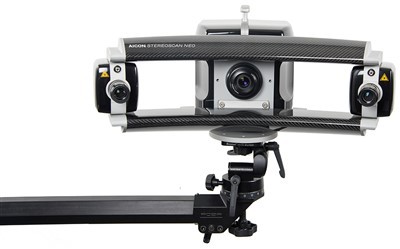
If you’re tired of slow cuts, high scrap rates, or your machine can’t keep up with new orders, we can help you figure out exactly what upgrades make sense for your shop. We’ll do a walkthrough, point out the weak spots, and give you a clear, no-BS quote. No hidden fees, no pushing stuff you don’t need—just straight solutions to get your machine running like it’s brand new.
Laser Processing Machine References:
- Industrial Laser Solutions. (2022). "Retrofitting vs. replacing laser processing equipment: A cost-benefit analysis."
- Fabricators & Manufacturers Association International. (2021). "Preventive maintenance best practices for laser cutting systems."
- Laser Institute of America. (2023). "Optics alignment and replacement guidelines for industrial laser machines."
- Modern Machine Shop. (2022). "Motion system upgrades: Boosting precision and productivity in CNC cutting equipment."
Hermens Industrial Co., Ltd.
As one of the most professional laser processing machine enterprises in China, we’re featured by quality products and low price. Please rest assured to buy cheap laser processing machine in stock here and get quotation from our factory. We also accept customized orders.
Address: 9/59 Moo 14, Rachathewa , Bang Phli , Samut Prakan Province 10540
E-mail: liu_jincheng@hzhemen.com
WebSite: https://www.hermensindustrial.com/
